
Bunny96 Sign Up and Login

Opening a Bunny96 account takes about sixty seconds. New players complete a short registration form with email, mobile number and Australian Dollar as the chosen currency, then verify their email and mobile to activate the A$20 no-deposit welcome bonus. Returning players sign in with their mobile number and password, and can reset access through a one-time password if needed. Identity verification (KYC) is required before the first withdrawal but can be completed at any point after registration. This page covers the sign-up flow, login process, KYC steps and the account security measures in place at Bunny96.
How to Sign Up at Bunny96
Registration at Bunny96 follows a straightforward four-step flow. Most new accounts are active in under sixty seconds, and the A$20 no-deposit welcome bonus is released automatically once email verification clears. The full sequence from the sign-up form to the first deposit is set out below.
Four Steps to Activate an Account
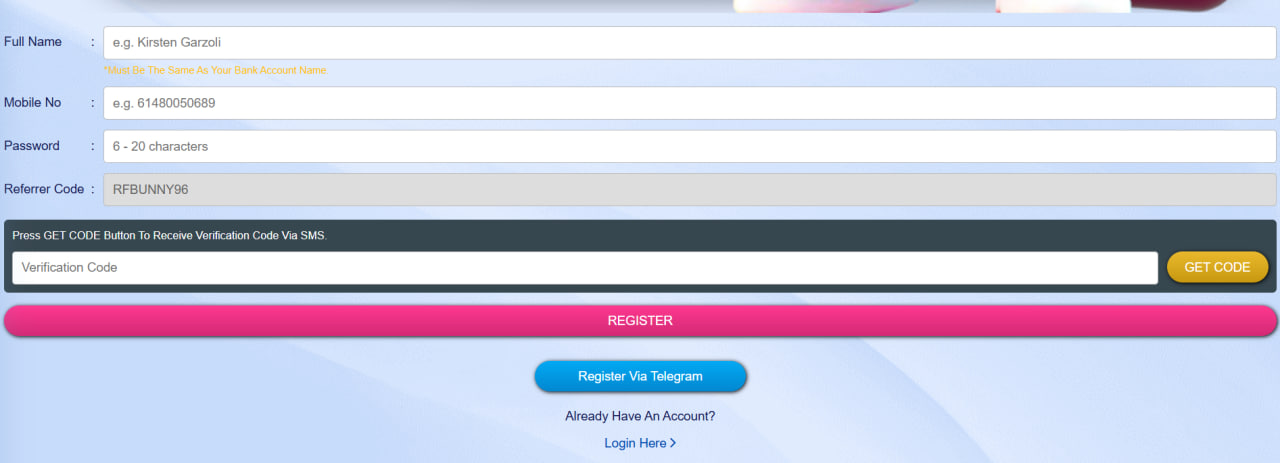
- Fill the sign-up form with email, an Australian mobile number, a strong password and AUD as the chosen currency. Date of birth confirms 18+ eligibility. The form sits on a single screen and takes about twenty seconds to complete.
- Verify the email and mobile number. A confirmation link arrives by email and a one-time password (OTP) by SMS. Clicking the link and entering the OTP activates the account and unlocks the welcome bonus.
- Claim the A$20 no-deposit bonus. The bonus is credited automatically once both verifications clear. Wagering requirements, validity periods and maximum cashout details are published on the welcome bonus page.
- Make the first deposit. Selecting PayID, OSKO, a card or any supported cryptocurrency triggers the tiered match bonus. Minimum deposits start low; real-time payments arrive in seconds and crypto methods within minutes.
Sign-up is restricted to players who meet the 18+ minimum age. One account is permitted per household, IP address and device. The same flow works identically on the mobile casino, and 24/7 live chat support is available throughout the registration process if any step needs help.
Log In to a Bunny96 Account
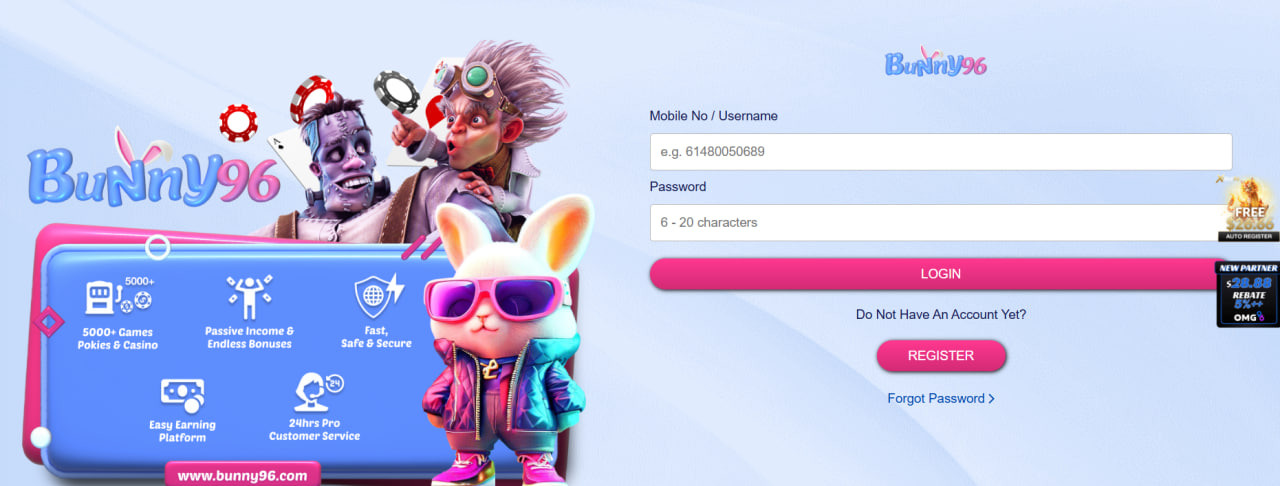
Returning players log in to Bunny96 from the home page or directly via the login URL. The standard form requires the mobile number used at registration plus the account password. A single account works on every supported device — desktop, mobile browser and tablet — without separate credentials.
Forgot Password — Quick Reset
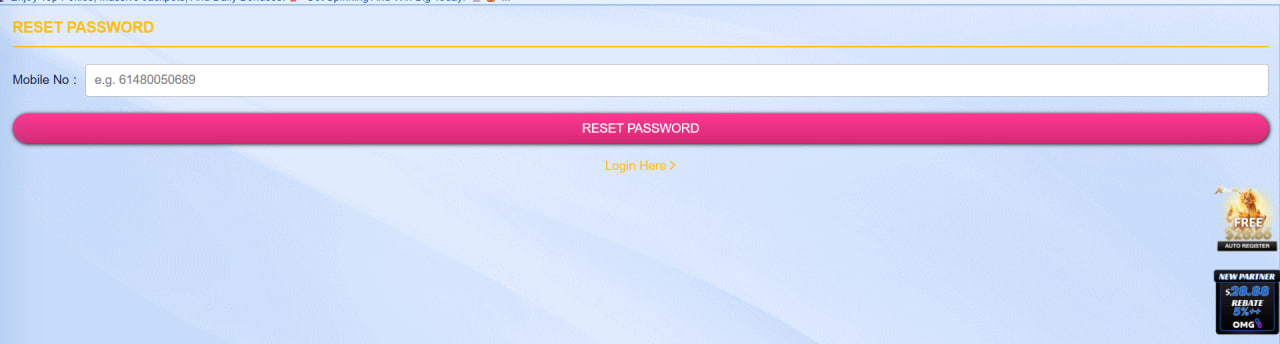
If a password is forgotten, the Forgot Password link triggers a secure reset. The flow runs through four short steps:
- Click Forgot Password on the login screen.
- Enter the mobile number registered to the account.
- Receive a one-time password via SMS within seconds.
- Enter the OTP and set a new password.
The whole sequence runs in under sixty seconds and invalidates the previous password immediately upon confirmation.
One Active Session Rule
Bunny96 enforces a one-active-session rule. An account can be logged in on only one device at a time. Signing in from a new device automatically ends the previous session, which reduces the risk of unauthorised access if login credentials are exposed.
Account Verification (KYC) at Bunny96
Identity verification — commonly known as KYC — is required under Anti-Money Laundering rules that apply to gaming operators. Bunny96 triggers the standard KYC check before a first withdrawal, but supporting documents can be uploaded at any point after registration.
Documents Required for Verification
Three categories of documents satisfy the standard KYC check at Bunny96. Each must be clear, current and the player's name must match across all three documents.
| Document type | Examples | Notes |
|---|---|---|
| Photo ID | Driver licence, passport | Government-issued, must be in date |
| Proof of address | Utility bill, bank statement | Issued within the last three months |
| Payment proof | Card image with middle digits hidden | One for each funding method used |
How Long Does Verification Take?
Most submissions clear within 24 to 72 hours. Players who upload all three documents at registration typically face zero delay on their first cash-out request. Returning players occasionally face an additional review if the source of funds or payment method changes significantly between sessions.
Why Complete KYC Early?
Bunny96 recommends completing KYC as soon as an account is opened rather than waiting for a winning session. Early verification avoids any delay between a withdrawal request and the funds arriving in the receiving account. This matches the verification practice of regulated payment providers worldwide.
Account Security and Two-Factor Authentication
Account security at Bunny96 layers several measures. All sessions run over 256-bit SSL encryption end to end. Login is protected by mobile-OTP-based password reset and the one-active-session rule. Players are encouraged to use a strong, unique password. Standard safeguards include:
- 256-bit SSL encryption across every session
- Mobile-OTP password reset and confirmation
- One-active-session rule preventing simultaneous logins
- Cashier re-authentication on high-value withdrawals
- Automated alerts to email and SMS for suspicious activity

Magnolia Whitcliffe
Magnolia Whitcliffe reviews Bunny96 Casino at bunny96-casinos.com — the 2024-launched Bridge Technologies B.V. brand operating under Curaçao licence, sister to SUGAR96, CANDY96 and LUX96. Covers the 60+ studio library (Pragmatic Play, Habanero, Playson, 3 Oaks, CQ9, PlayStar, Spribe) plus Pragmatic Play Live, Sexy Gaming and Dream Gaming live tables, the A$20 no-deposit welcome plus tiered 60-80% first-deposit match up to A$480 at 35-45x wagering with A$100 max cashout, native AUD + PayID + OSKO + crypto banking, and the pure web-based PWA on Safari and Chrome.